BE Voice
A business phone system with an AI voice agent built in. BE Voice answers and routes your calls, rings your team on desk phones and in the browser, queues callers, takes voicemail, and lets an AI agent answer calls and make them for you. You run it all from one console, and your own systems can drive it too.
Overview
Numbers and calling
- Your business numbers on Binary Elements' network, with each number answered the way you choose: an AI agent, a group of phones, a queue, one person, or a full set of rules.
- Choose which of your numbers your team and your AI may show as caller ID.
- Type numbers the way people write them; BE Voice shows them the way people read them.
- Emergency calls (000, 112, 106) from any BE Voice phone always go straight through, whatever else is set.
Call routing
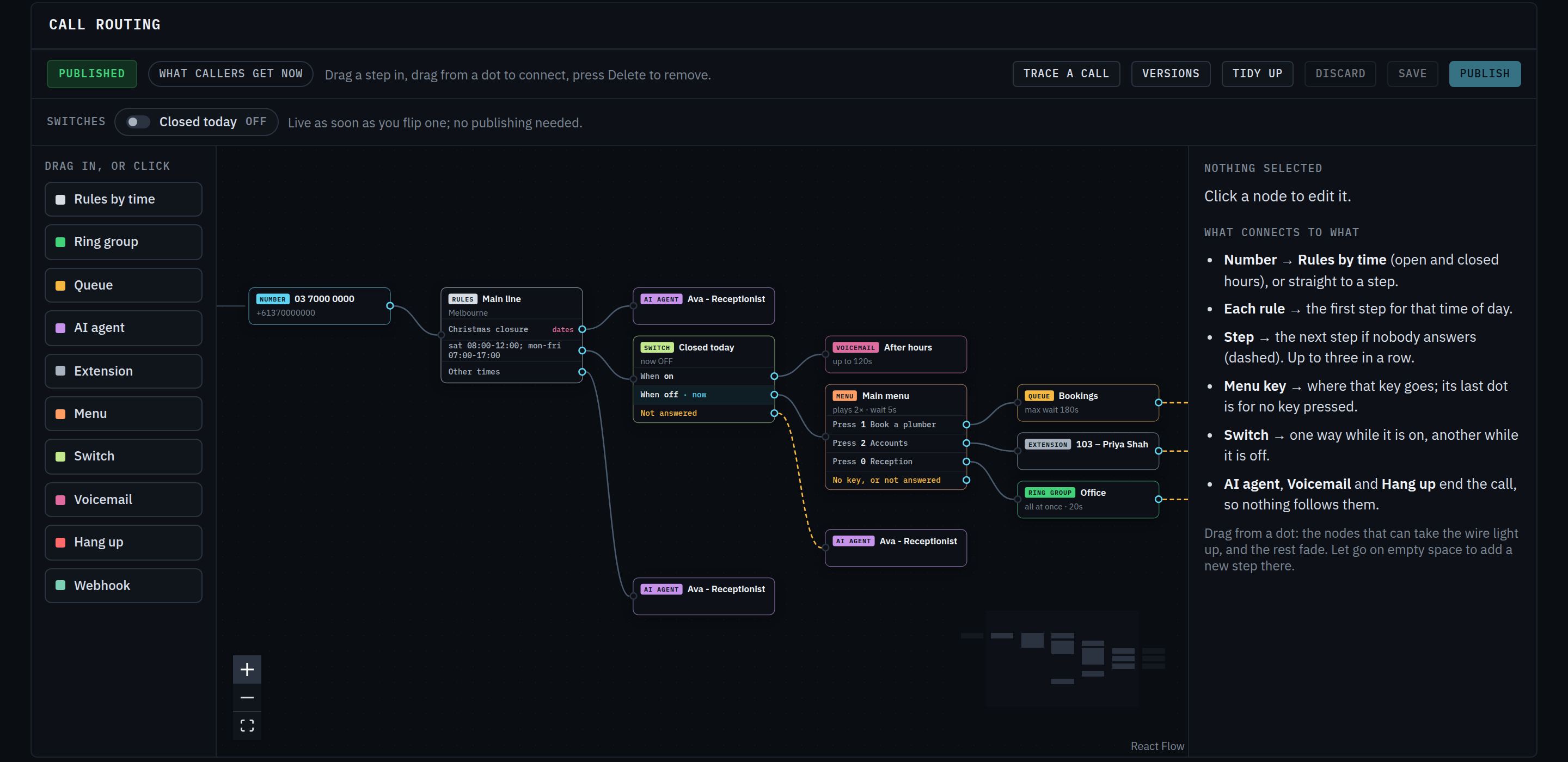
Decide what happens to every call, by time of day, by date, or at the flick of a switch.
- Business hours: different handling in and out of hours, with several opening periods a day.
- Holidays and closures: pick your public holidays from a list for your state, or add your own dates and recurring closures.
- Switches: one-click overrides such as "Closed today" or "Night mode", effective on the next call.
- Fallbacks: if nobody answers, the call moves on to the next option you set, such as a queue, voicemail or the AI.
- Visual designer: see and edit your call flow as a diagram, from number to final destination.
- Trace a call: test a number at any day and time, with any key presses, and see where the call would go before you publish.
- Undo: every published change is saved, so you can go back to an earlier version at any time, or keep drafts to work on.
Menus, groups, queues and voicemail
Phone menus
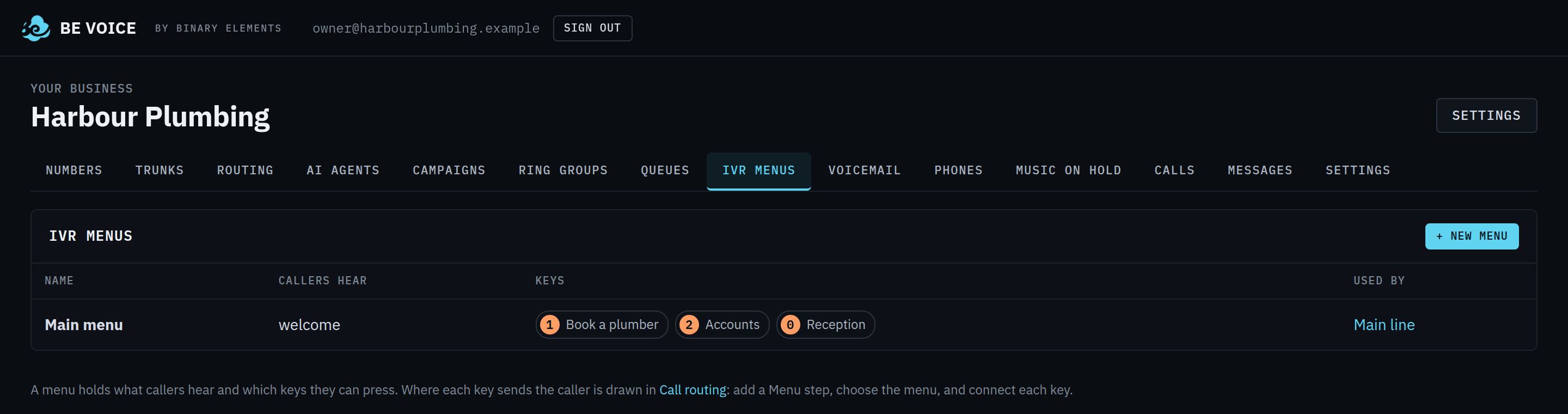
"Press 1 for sales, 2 for support": greetings with key choices, menus within menus, and your own recorded greetings.
Ring groups
Ring everyone at once, or one person after another, so the call reaches whoever is free.
Queues
- Callers wait in line with hold music and "still holding" messages, and are answered by the next free person.
- Work is shared fairly across the team, with time to wrap up between calls. Team members can pause.
- Set the longest a caller waits, and where they go after that.
- See who is waiting and who is available, live.
Voicemail
- Separate mailboxes for teams or departments, each with its own greeting.
- Messages arrive in the console and by email, with the recording attached.
Music on hold
Choose from Binary Elements' licensed library or upload your own tracks. Set different music for queues, transfers and the AI agent.
Phones
- Desk phones and softphones: standard SIP phones with secure, unguessable credentials.
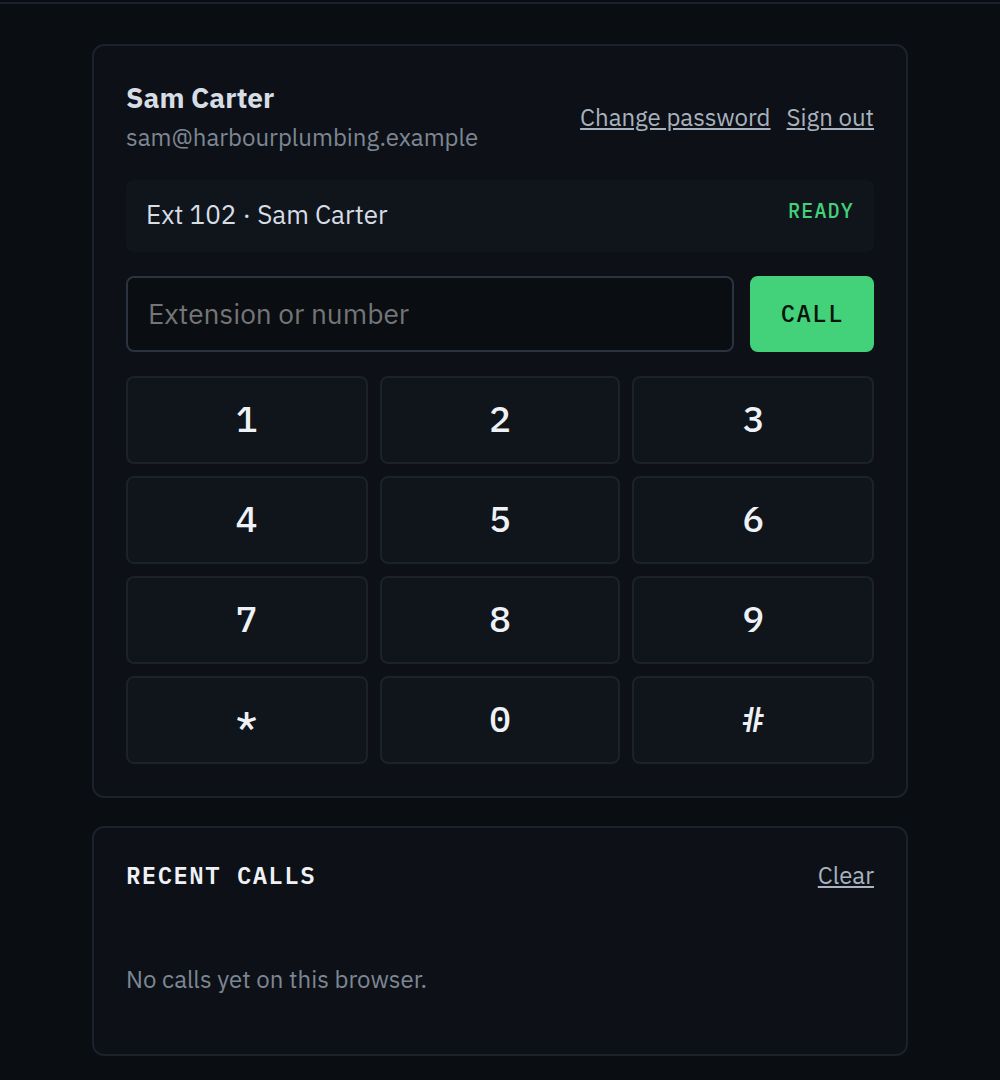
- Browser phone: your team signs in with email and password and takes calls in any modern browser, with no app to install.
- Extensions: call colleagues by extension; call anyone else as normal.
- Transfers: send a caller straight on, or talk to the colleague first and then hand over.
- Hold, mute, keypad: callers on hold hear your hold music.
- Recent calls: call back with one click.
- Desktop notifications: see incoming calls even when the tab is in the background.
AI receptionist
An AI voice agent that answers your calls in a natural voice, understands what callers need, and handles the call the way you set it up. Callers can interrupt it, just as they would a person.
Start from a role
| Role | What it does |
|---|---|
| Receptionist | Answers questions from what you give it, puts callers through, takes messages. |
| Accounts receivable | Calls customers about overdue invoices, agrees a payment date and records it. |
| Appointment reminders | Confirms upcoming appointments and takes reschedules and cancellations. |
Make it yours
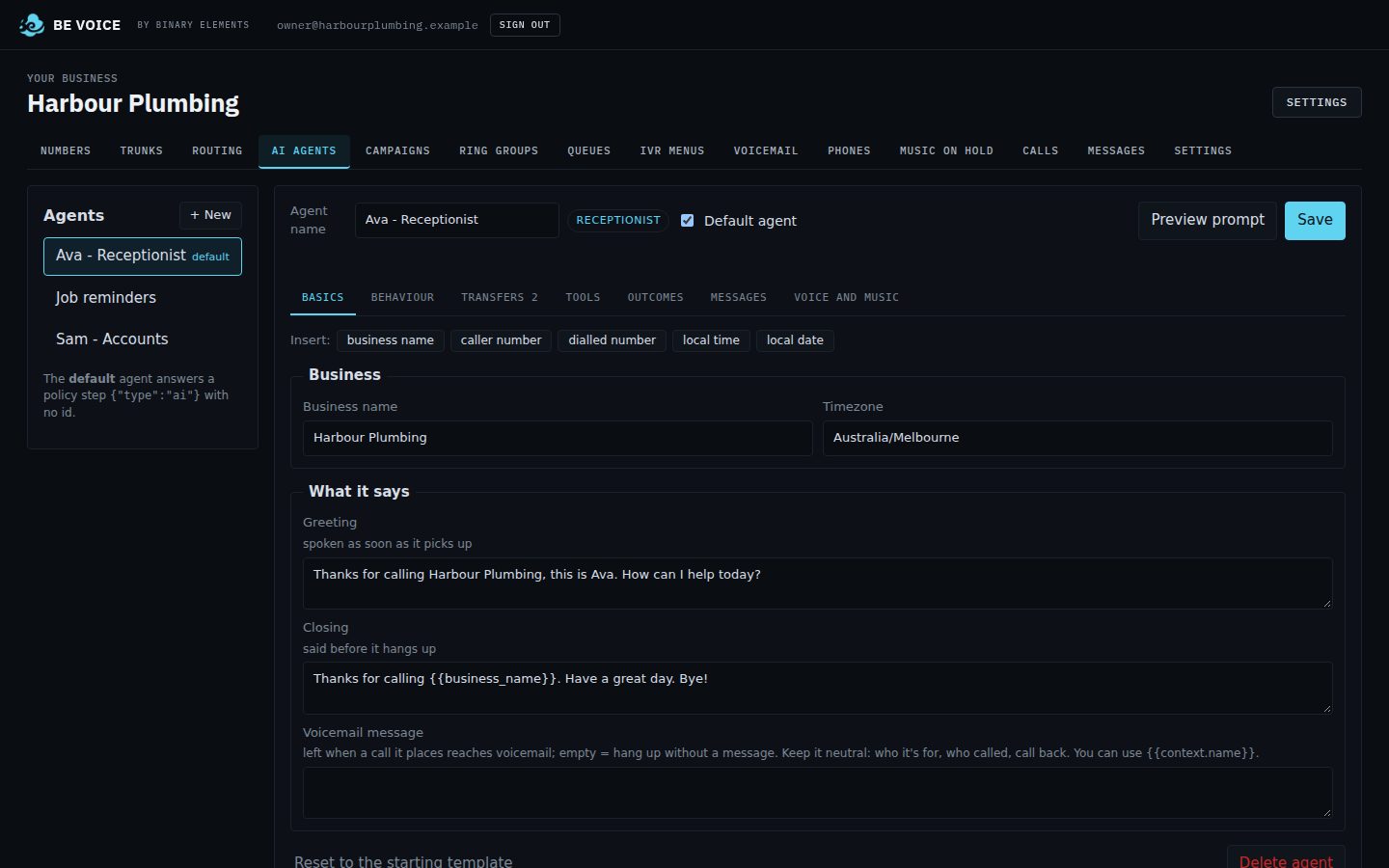
- Its greeting, personality, step-by-step instructions and knowledge: your hours, services, prices and FAQs.
- A choice of natural voices, previewed before you save.
- Personal touches on each call, such as the caller's name or details from your system.
- Preview exactly what the agent has been told before it takes a call.
What it can do on a call
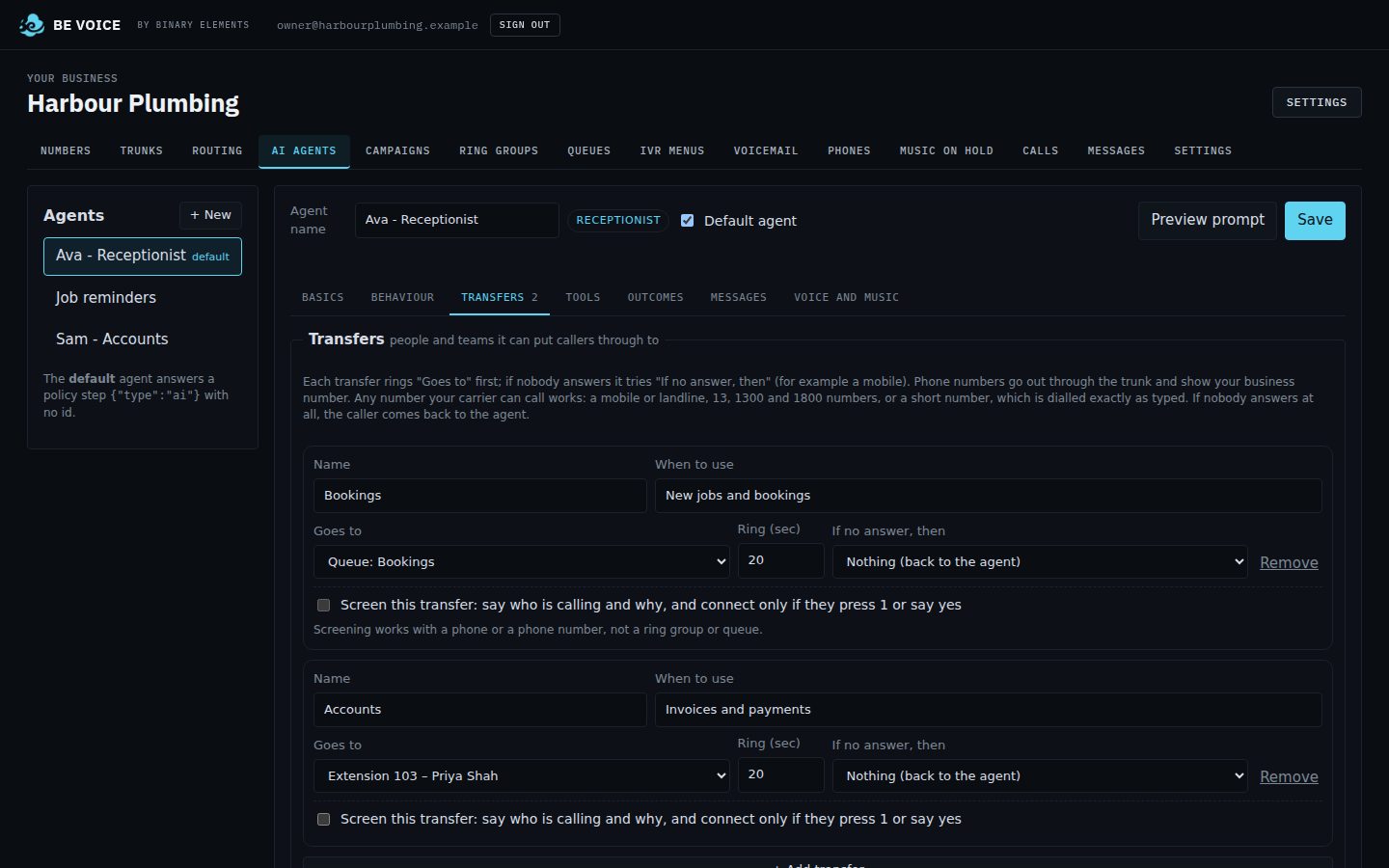
- Put callers through to a person, a team, a queue or an outside number, with a fallback if nobody answers.
- Screen transfers: your colleague hears who is calling and why, then accepts or declines.
- Take messages with the details you ask for, sent to your inbox, email or alerting tool.
- Look things up in your own systems, and record things there (see Connect your systems).
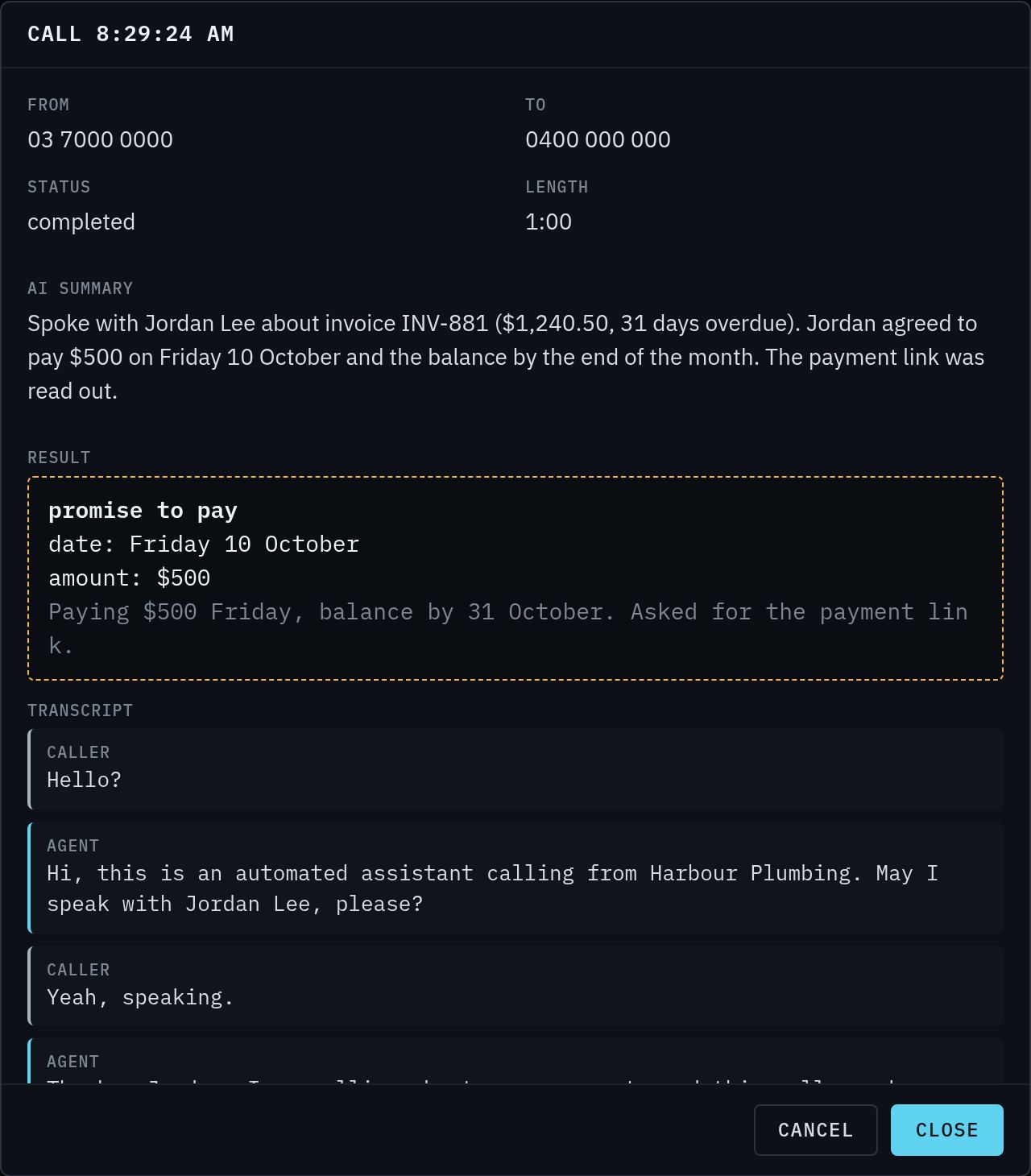
- Report back: after every call you get a summary, a full transcript and how the call ended.
Connect your systems
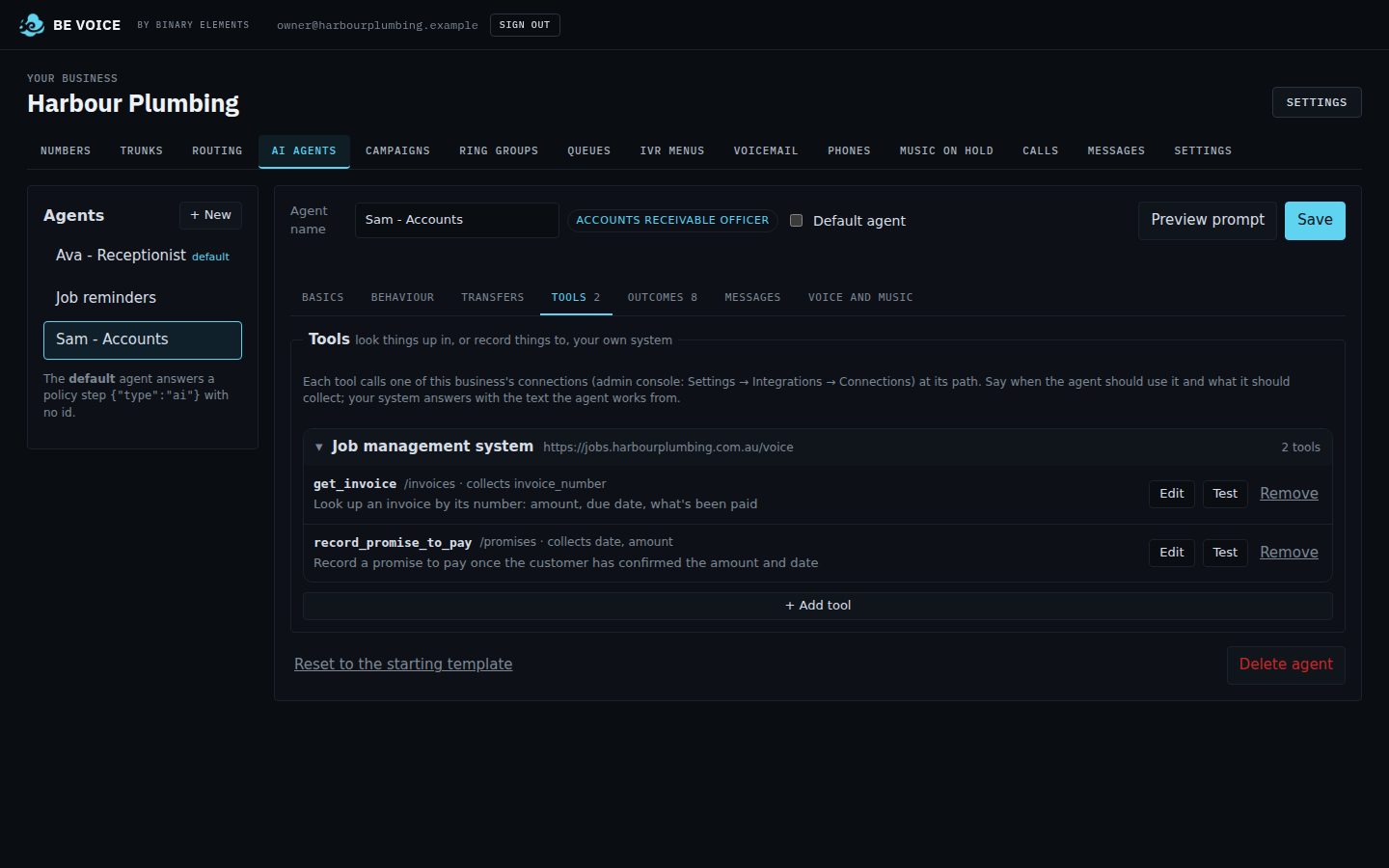
Give the AI agent access to your own systems, so it can check facts and record outcomes while it is on the phone.
- Check an invoice balance, look up a booking, find an order.
- Record a promise to pay, request a new appointment time, add a note to the customer's record.
- Connect once and use the connection in as many agents as you like. Your credentials are stored encrypted.
- Test each lookup from the console with real values and see exactly what the agent would hear.
Outbound AI calling
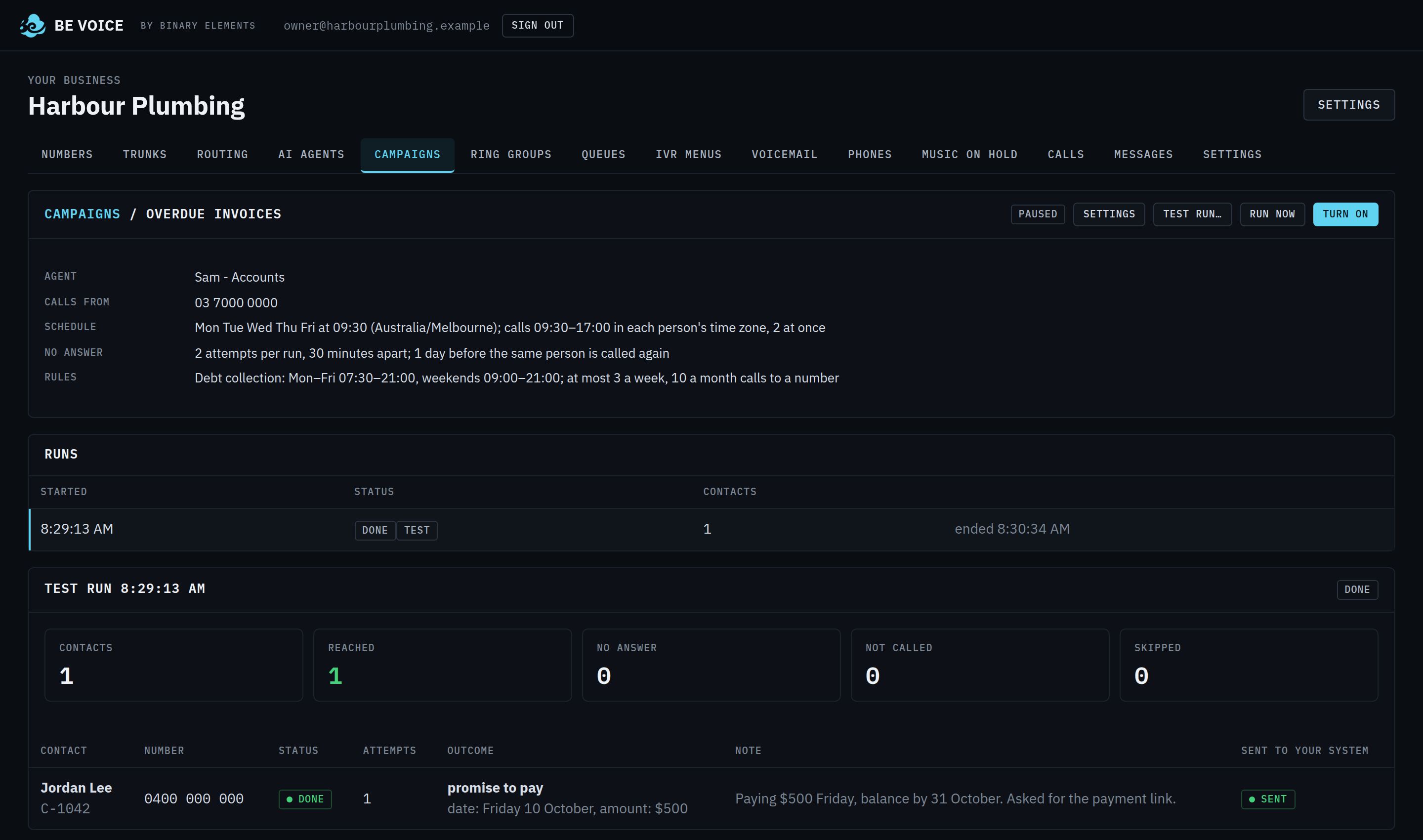
Let the AI agent make calls for you: one at a time from your own software, or as scheduled campaigns that work through a list.
Campaigns
- Your system provides the list of people to call, with what the agent needs to know about each one.
- BE Voice calls them on your chosen days, inside calling hours in each person's own time zone, a few at a time, and tries again if there's no answer.
- Each result comes straight back to your system: the outcome, the details agreed and a short note.
- When the whole run is finished, your system gets the totals.
- Try a campaign safely with a test call to your own phone first.
- Pause or stop at any time.
- Answering machines are recognised, and a neutral voicemail message is left after the beep.
- People can ask for a call back at a better time, or ask not to be called again.
Every call, written up
Each AI call comes with a short summary, the outcome and the details agreed, and the full conversation, in the console and sent to your system.
Calling within the rules
| Type of call | Calling hours (their local time) | Limits per number |
|---|---|---|
| Debt collection | Mon–Fri 7:30 am–9 pm, weekends 9 am–9 pm | 3 calls a week, 10 in 30 days |
| Service and reminders | 8 am–8 pm | 2 calls a day |
- The agent always says it is an automated assistant and who it is calling for.
- For debts, it confirms it is speaking to the right person before mentioning the account, and never discusses it with anyone else or on voicemail.
- A do-not-call list is kept for you, and opt-outs go on it straight away.
- You can make the rules stricter for your business, never looser.
Messages and alerts
- Every voicemail and every message the AI takes lands in one inbox in the console.
- Email: messages and voicemails by email, per team or per mailbox, plus an email when a caller couldn't reach anyone.
- Your tools: send each message to your own system, or straight to an on-call alerting service such as SIGNL4.
Recording and transcripts
- Record calls, including internal calls and transfers, with an optional "this call may be recorded" announcement.
- Turn recordings into text automatically, a few seconds after each call.
- Play, download and read every call from its details in the console.
- Recordings are deleted automatically after the retention period.
Console and team access
- One web console for numbers, call routing, AI agents, campaigns, ring groups, queues, menus, voicemail, phones, hold music, calls and messages.
- A live view of calls today, calls in progress and messages waiting.
- Give your managers their own sign-in, invited by email, with access to your business only.
- Works on a laptop or a phone.
Integrations
- API: start calls, hand a call to the AI agent with your own details, and manage everything the console does.
- Webhooks: get told the moment calls start, are answered and end, when callers join or leave queues, and when the AI finishes a call. Every notification is signed so you can trust where it came from.
- Your own routing: let your application decide what happens to a call as it arrives.
- For developers: Agent-ready APIs explains what your API should look like for the AI agent to use it.
- Full API documentation is available to customers.
Security and reliability
- Each business's numbers, phones, recordings and data are kept separate from every other business.
- Passwords and credentials are stored encrypted or hashed, and never shown again after you set them.
- Phone sign-ins are protected against guessing and fraud, and can be limited to the countries you choose.
- Phone numbers are masked in system logs.
- The platform is monitored around the clock, with alerts if a line or service has a problem.
- Emergency calls always get through.
Nothing matches that search.